Website builder
The Website builder is where your whole online presence lives: a branded, multi-page business site, the private portal each client opens, and your own custom domain — all designed in one place, with a live preview, and live the moment you publish.
Where to find it #
Sidebar → Website Max
The Website studio opens on three tabs across the top:
- 🌐 Pages — a real multi-page site built from blocks, with themes and presets.
- 🎨 Client portal — the private hub each client opens from their portal link: branding, socials, custom links, and section order.
- 🔗 Domain — your free built-in address and, when you're ready, your own domain.
Only a business's owner or admins can make changes — everyone else can look around.
Build your site, block by block #
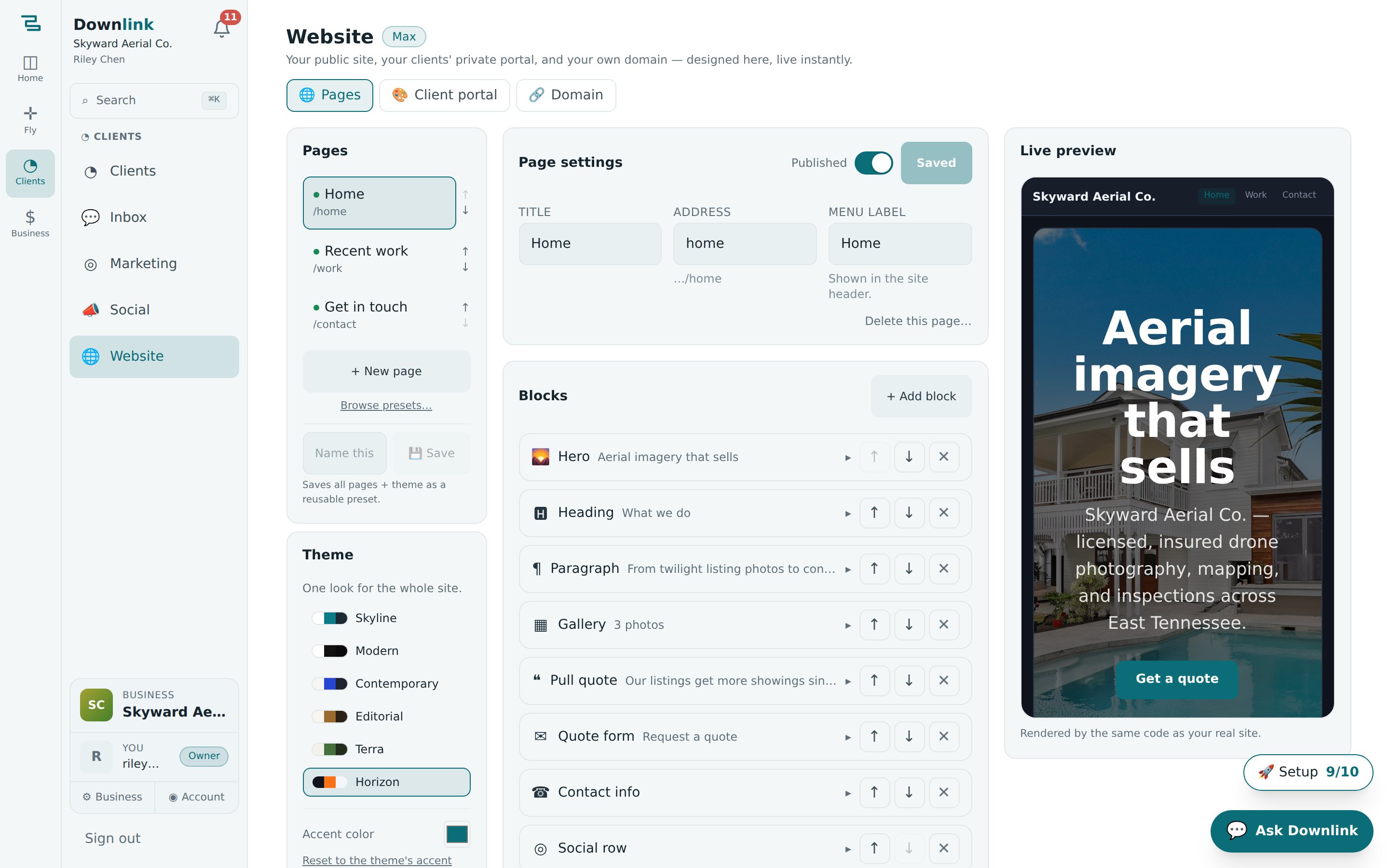
The Pages tab is a page builder: pick a page on the left, stack blocks in the middle, and watch the preview on the right update as you type.
- Add a page — click + New page and choose a template (Home, Quote page, About, Contact, or Blank). You can keep up to 20 pages; each has a title, an Address (its URL slug), and a Menu label for the site header.
- Stack your blocks — hit + Add block and pick from Hero, Heading, Paragraph, Pull quote, Image, Gallery, Video, Embed, Button, Quote form, Contact info, Social row, Link list, Divider, and Spacer. Reorder with the arrows, remove with ✕.
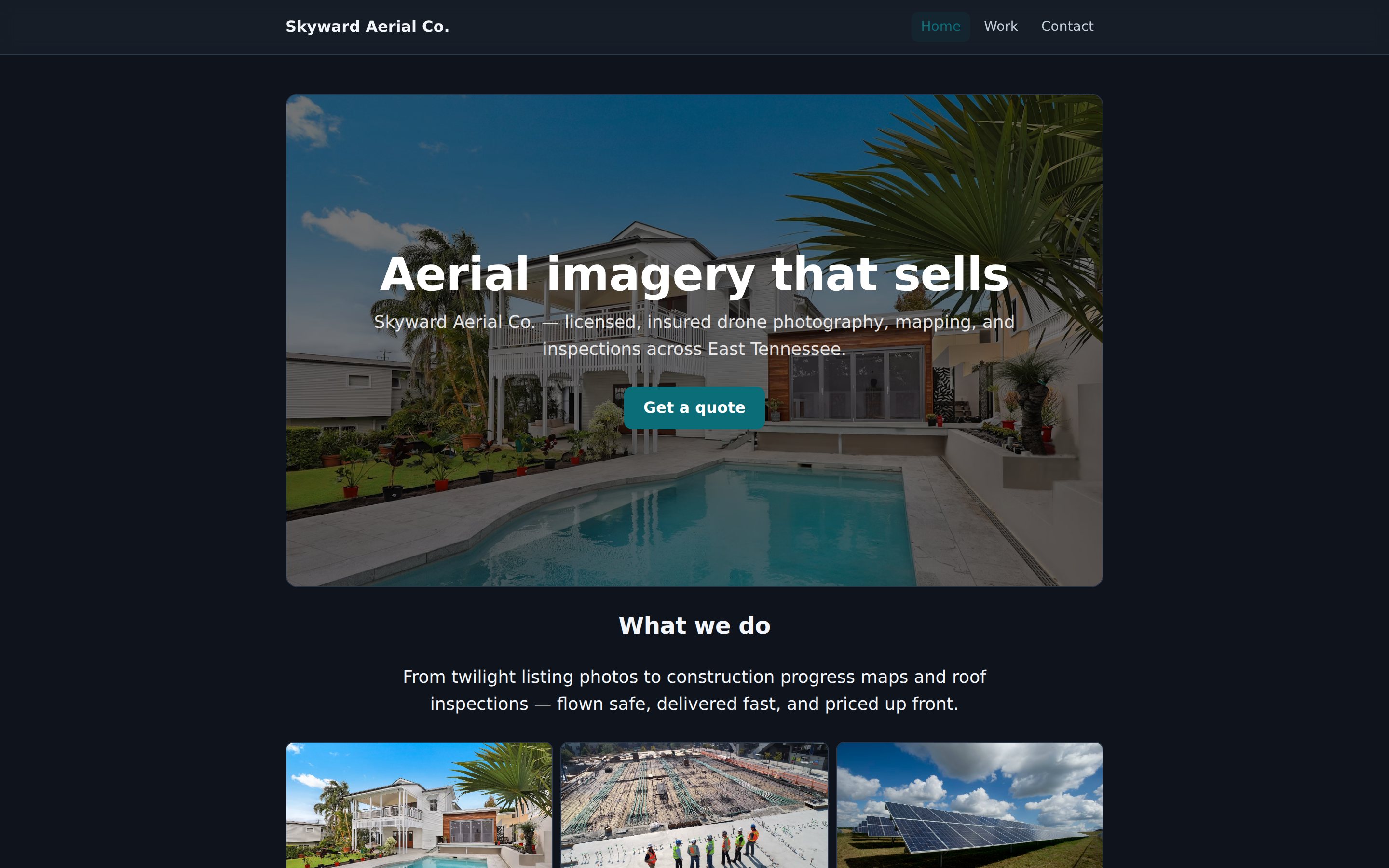
- Fill each block in — every block has a small editor. A Hero takes a headline, background photo, and a call-to-action button; a Gallery takes 2–4 columns of photos; Video accepts YouTube or Vimeo, and Embed takes Maps, Calendly, Matterport, virtual tours — anything with an embed link.
- Publish — flip the Published switch on the page. Pages stay drafts (and stay off your live site) until you do.
Drop a Quote form onto any page and submissions land straight in Marketing → Lead pipeline, fire your speed-to-lead auto-reply, and notify you — no inbox forwarding, no copy-paste.
Start from a preset #
Don't fancy a blank canvas? Click Browse presets… for a complete five-page starter site (Home · Services · Our work · About · Contact) tailored to your line of work — Real estate aerial, Construction & mapping, Roof & inspections, Weddings & events, Agriculture, Cinematography & FPV, Land & ranch marketing, or Solar & energy. Each comes with matching photography and a theme that fits. Everything applies as drafts, so you can swap in your own photos and copy before anything goes live.
Built a look you love? Name it and hit 💾 Save to store the whole site — pages and theme — as your own reusable preset (up to 12). Handy if you run more than one business and want to reuse a design.
Themes & your brand colour #
The Theme card sets one look for the whole site: Skyline (the clean Downlink teal), Modern (black on white), Contemporary, Editorial, Terra, or Horizon (deep night blue). Beneath it, the Accent colour picker overrides the theme's accent with your own brand colour — buttons, links, and highlights follow it everywhere, and so do your delivery galleries and quote pages. Reset any time to fall back to the theme's own accent.
Riley Chen starts from the real-estate preset, brands it, and points a domain at it — the site clients like Bluebird Realty (Jordan Avery) will see.
| Field | Example value | Why / Notes |
|---|---|---|
| Starting point | Real estate aerial preset | Five drafted pages with matching photos and a theme, ready to edit. |
| Theme | Contemporary | Soft stone ground, generous curves — suits listing photography. |
| Accent colour | #1f6f8b | Skyward's brand teal — overrides the theme accent across the whole site. |
| Site address | skyward-aerial | Lives free at app.downlinkcrm.com/#/site/skyward-aerial. |
| Home · Hero headline | Listings that sell from the sky | The first line a prospect reads above the hero photo. |
| Hero button | Get a quote → /quote | Links to the Quote page; buttons also take https://, mailto:, tel:. |
| Gallery block | 6 photos · 3 columns · square | Recent listings — swap the preset's stock photos for your own. |
| Quote form heading | Tell us about your listing | Submissions feed the lead pipeline and trigger the auto-reply. |
| Custom link | Book a shoot → https://cal.skywardaerial.example | Gets its own panel on every client portal (and a Link list block). |
| Portal display name | Skyward Aerial Co. | Shown at the top of every client-facing page. |
| Portal welcome line | Your aerial projects, all in one place. | Greets each client under their name on the portal. |
| Custom domain | www.skywardaerial.example | A subdomain — CNAME to app.downlinkcrm.com plus a TXT to verify. |
The client portal & custom links #
The Client portal tab designs the private hub each client opens from their portal link. Set your logo, display name, and a welcome line; add social profiles (Instagram, Facebook, TikTok, YouTube, X, LinkedIn, or a Google reviews link — paste a link or just type your handle); and add up to 12 custom links to anything at all — your booking page, a highlight reel, even mailto: or tel: links. Use the arrows under Page sections to reorder or hide the portal's panels: Quotes to review, Invoices, Deliveries, Flight history, and Your links. Hit Save changes and every client page updates instantly. Your socials and links are also available as blocks on the public site, so you set them once and reuse them everywhere.
Related: see Clients for how each client reaches their portal, and Deliveries for the branded galleries that follow the same theme and accent.
Connect your own domain #
Every published site is free at app.downlinkcrm.com/#/site/<your-slug> with no setup. When you want your own address, open the Domain tab:
- Enter a subdomain — something like
wwworphotosin front of your domain, then Save. (Root domains often can't point a CNAME, which is why a subdomain is best.) - Add the two DNS records your provider needs — a CNAME from your domain to
app.downlinkcrm.com, and a TXT at_downlink.<your-domain>with the verification value shown (there's a copy button). - Verify — click Verify domain. Downlink checks ownership (TXT) and that the domain points here (CNAME). Once both pass, your site answers on it and HTTPS is issued automatically.
DNS changes can take up to an hour to propagate. If Verify domain can't find the TXT record straight away, it hasn't failed — wait a little and re-check.
Pages — including whole presets — are created as drafts, so you can build the entire site in private and flip each page's Published switch only when it's ready. The Website builder is part of the Max plan.