Equipment
The Equipment registry is where your fleet lives — every drone, battery, controller and payload, with the serial numbers, cycle counts, firmware and service dates that keep you legal and airworthy. Log it once and Downlink watches the clock for you, flagging batteries that are ageing out and registrations that are about to lapse.
Where to find it #
Sidebar → Equipment
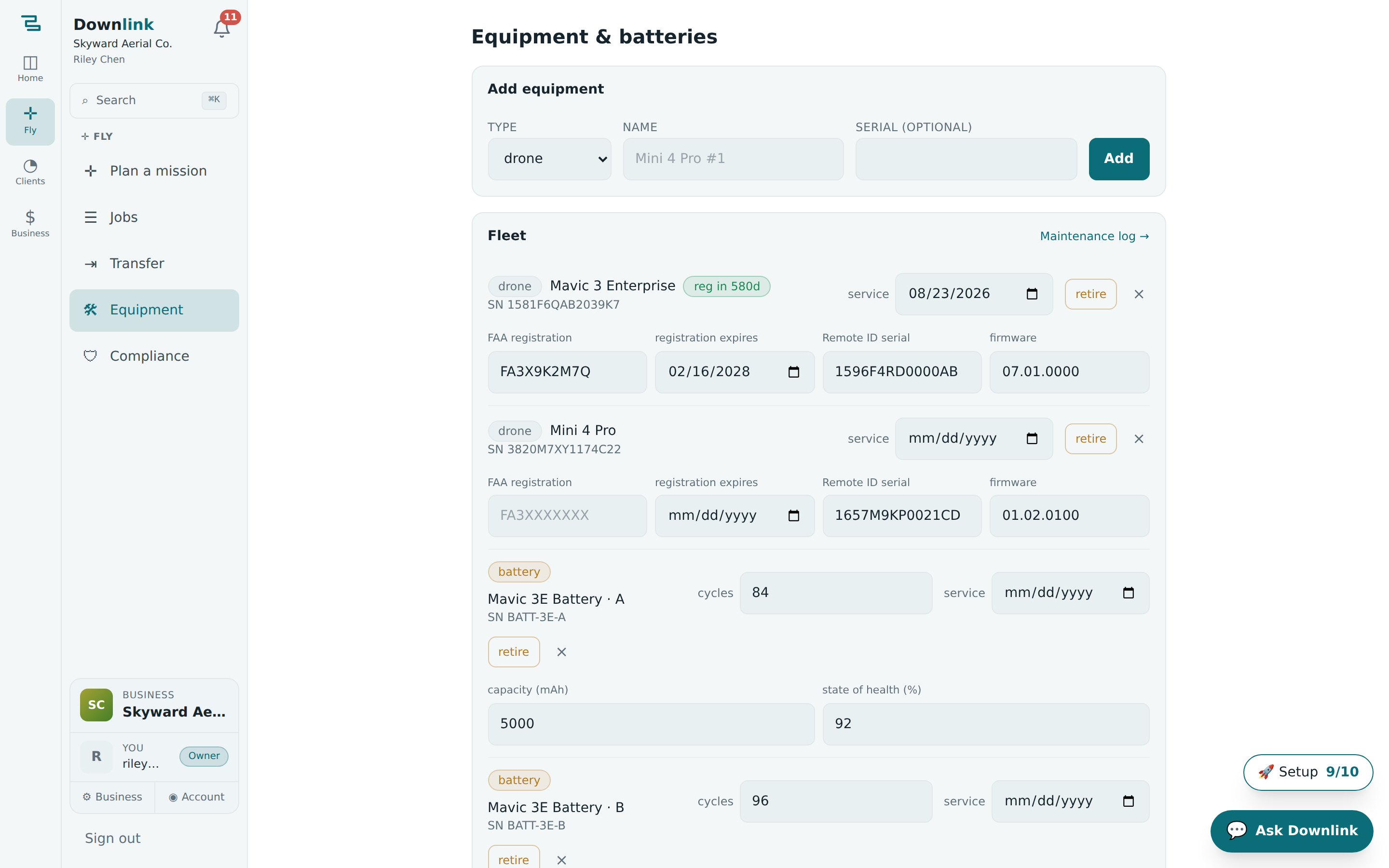
The page has two parts: an Add equipment form at the top and your Fleet list below it. Everything on a row edits in place — type a new cycle count or service date and it saves as you go.
The equipment registry is part of the Pro plan. If you're on Free you'll see an upgrade prompt here — see Plans & billing to turn it on.
Add a piece of kit #
- Pick the type — choose drone, battery, controller, payload or other. The type decides which extra fields appear on the row later.
- Name it — the only required field. Number your duplicates (e.g.
Mavic 3E #1) so packs and airframes are easy to tell apart on the flight line. - Add the serial — optional, but worth it; it shows as
SN …under the name and matches what's on your insurance and registration. - Click Add — the item drops into your Fleet list, sorted by type then name. Open the row to fill in the rest.
Here's how Skyward Aerial Co. (owner Riley Chen) logs its main airframe, with every drone field filled in on the row.
| Field | Example value | Why/Notes |
|---|---|---|
| Type | drone | Unlocks the FAA registration, Remote ID and firmware fields below. |
| Name | Mavic 3E #1 | Required. Numbered so a second airframe stays distinct. |
| Serial | 1581F5BKC249N00A | Optional. Shows as SN under the name; matches your insurance. |
| FAA registration | FA39K2M7QX | Your FAADroneZone certificate number. |
| Registration expires | 2027-08-31 | FAA registration runs three years; Downlink badges the row as it nears expiry. |
| Remote ID serial | AB12CD34EF56 | The broadcast serial for your standard or add-on Remote ID module. |
| Firmware | v07.01.0002 | Note the version you last flashed so you know when an update is due. |
| Next service date | 2026-09-15 | Prop, motor or gimbal check-up. Badges amber within 14 days, red once overdue. |
Batteries: cycles & health #
Pick battery as the type and the row gains three fields: a cycles counter, capacity (mAh) and state of health (%). Downlink colours each pack by its cycle count so you retire it before it sags on you mid-flight:
- healthy — under 150 cycles.
- aging (amber) — 150 to 249 cycles; start planning a replacement.
- replace (red) — 250 cycles or more; ground it.
| Field | Example value | Why/Notes |
|---|---|---|
| Type | battery | Shows the cycles, capacity and health fields. |
| Name | Mavic 3E Pack #3 | Number every pack — you'll thank yourself when rotating charges. |
| Serial | TB30-2247 | Optional, but handy for warranty claims. |
| Cycles | 162 | Bump it after each charge; at 162 this pack reads "aging". |
| Capacity (mAh) | 5000 | Rated pack capacity. |
| State of health (%) | 88 | Measured health from your charger, if you track it. |
Service, registration & retiring kit #
Every row carries a service date. Downlink counts down to it: within 14 days you get an amber service in Nd badge, and once it's past it turns red with service overdue Nd — the same treatment drone registrations get as they approach expiry.
When something reaches the end of its life you have two choices. Retire greys the row out but keeps its history for your records — click unretire to bring it back. The × deletes it outright (you'll be asked to confirm), so reach for retire unless you truly want it gone.
The Maintenance log → link on the Fleet card jumps straight to your Compliance vault, where you can record each repair, calibration and inspection against the exact item — a tidy paper trail if a client or insurer ever asks.
The registration and expiry you log here power the pre-flight readiness check on the jobs board — an out-of-date drone registration will flag before you ever leave the driveway. Your registered airframes also set the sensor Downlink uses for the GSD maths in the mission planner.