Clients
Clients are the people and companies you fly for. Every job, quote, invoice, mission, and delivery hangs off a client, so this is usually the first thing you set up.
Where to find it #
Sidebar → Clients
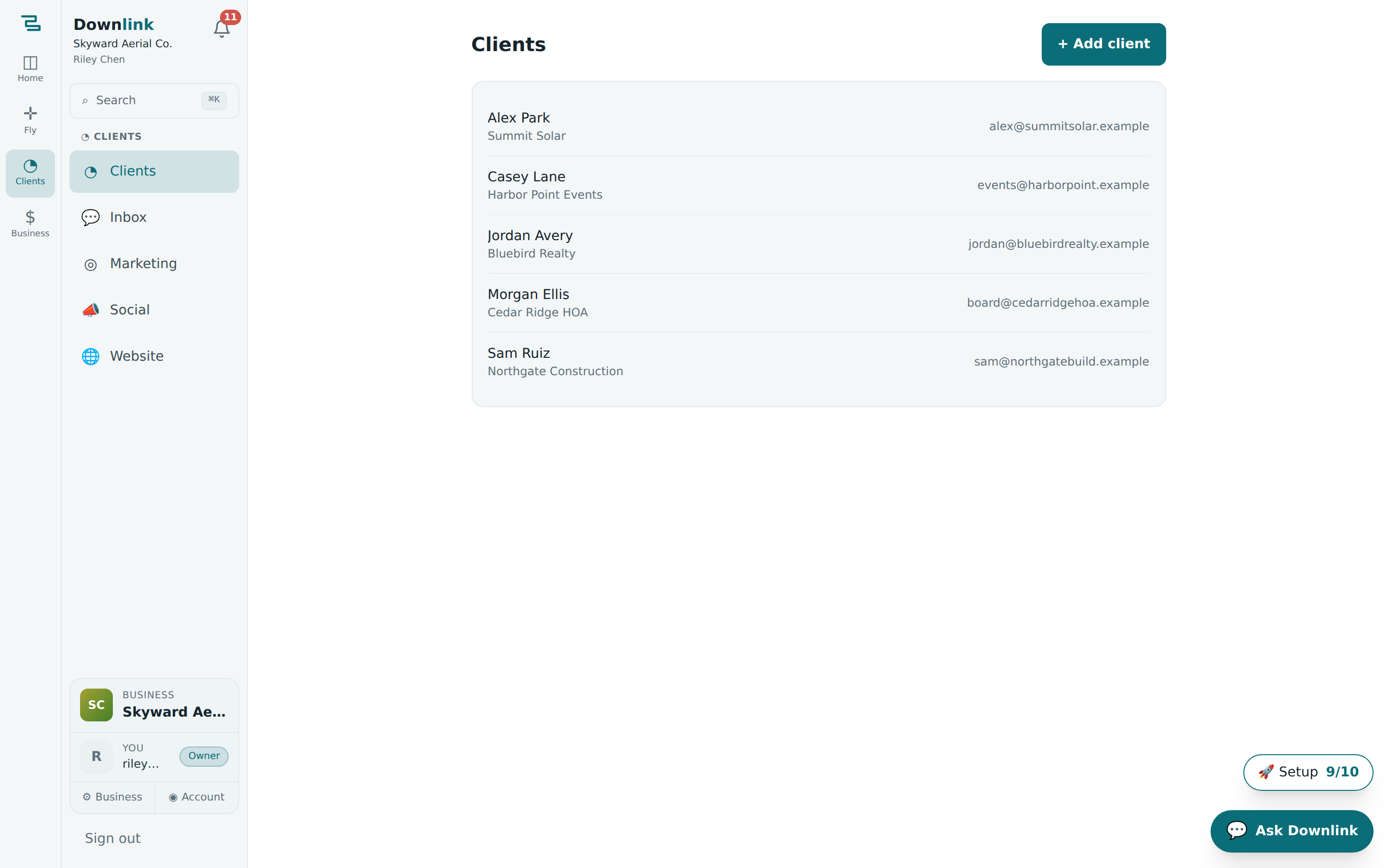
The Clients page lists everyone you work with, with a search box up top and a New client button. Click any row to open that client's full history.
Add a client #
- Open the form — from Clients, click New client (top right).
- Fill in the details — only Name is required; the rest makes quotes, invoices, and messaging work smoothly. See the worked example below.
- Save — the client appears in the list and opens to their detail page.
Here's how the demo business Skyward Aerial Co. enters a repeat real-estate client.
| Field | Example value | Why it matters |
|---|---|---|
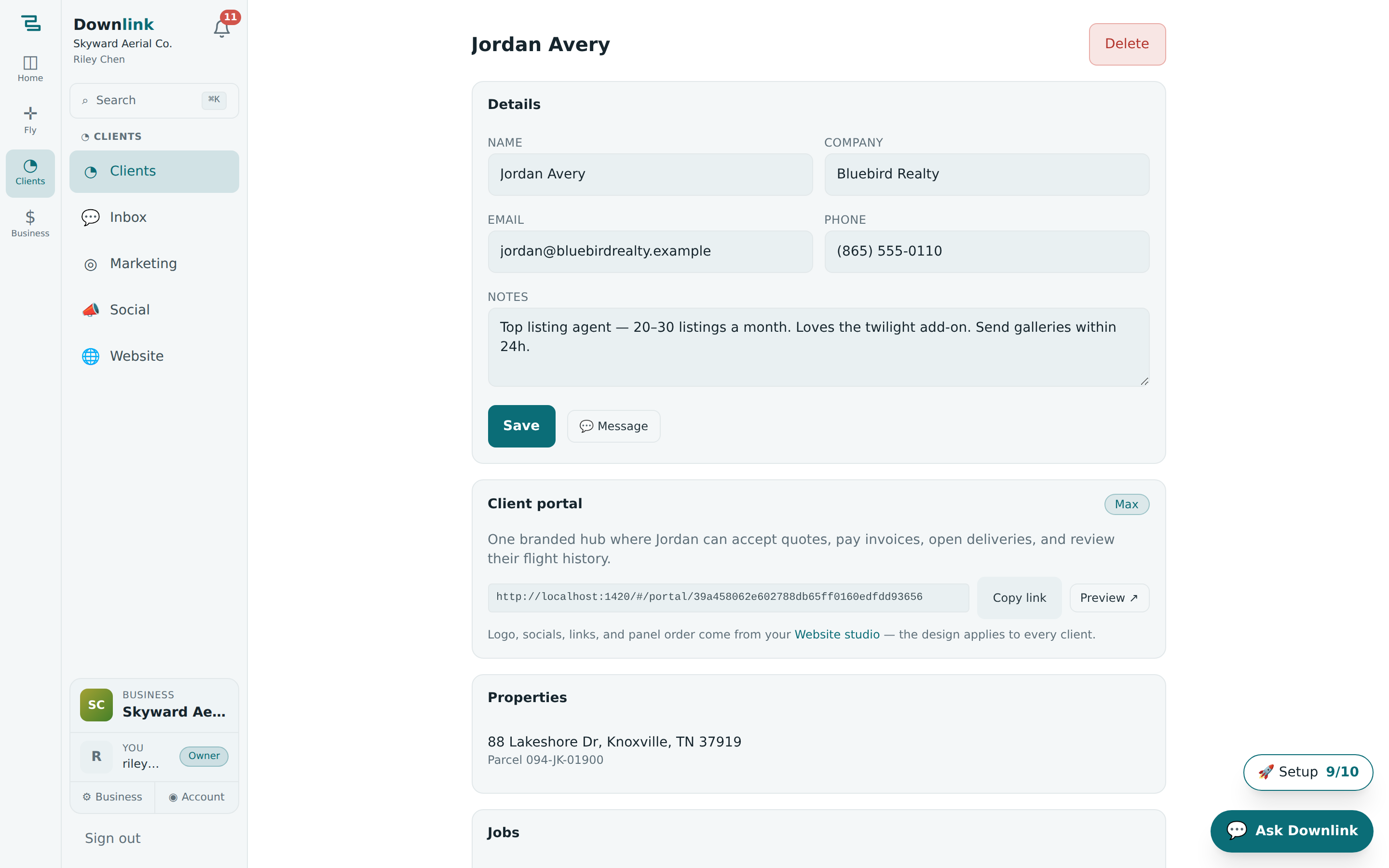
| Name | Jordan Avery | The person you actually talk to. Required. |
| Company | Bluebird Realty Group | Shown on quotes, invoices, and the delivery page. |
| jordan@bluebirdrealty.example | Where quotes, invoices, and delivery links are sent. | |
| Phone | (865) 555-0142 | Used for the texting inbox and reminders. |
| Notes | Prefers golden-hour shoots. Bills to accounts@bluebirdrealty.example. Usually 3–4 listings/month. | Private to your team — context for whoever picks up the job. |
The client detail page #
Click a client to open everything about them in one place:
- Contact card — the fields above, editable inline with the Edit button.
- Properties — the addresses you fly for this client. Add one and the planner can pull its parcel automatically.
- Jobs — every job for this client and what stage it's in.
- Money — quotes and invoices tied to the client, and what's been paid.
From a client's page you can start a job for them in one click — it carries the client and property straight into the jobs board and opens the planner with their address already loading.
Add a property #
- Open the client, find the Properties section, and click Add property.
- Type the address — e.g.
1200 Market St, Knoxville, TN 37902. Downlink geocodes it so the planner can pull the parcel and center the map. - Save. The property is now selectable whenever you plan a mission or create a job for this client.
Clients are private to your business. If you run more than one business in Downlink, each has its own separate client list — switch businesses from the account switcher at the bottom of the sidebar.