Support & AI assistant
Stuck on something? You've got two ways to get help without leaving Downlink: the Ask Downlink assistant in the corner, which answers instantly from our knowledge base, and the full Support page, where you chat with a real person and get the transcript emailed to you. Both hand off to each other, so you never have to repeat yourself.
Where to find it #
Sidebar → Support — or tap the 💬 Ask Downlink bubble in the bottom-right corner of any page.
The assistant floats over whatever you're doing, so you can ask a question mid-mission and keep working. The Support page is the home for longer conversations and anything that needs a human.
Ask Downlink — the instant assistant #
The corner bubble is the fastest answer to "how do I…?". It reads from Downlink's own knowledge base, so it knows the actual app — planning missions, sending flights to your controller, jobs, invoicing, your website, the lot.
- Open it — click 💬 Ask Downlink, bottom-right. It greets you with a few starter chips like "How do I plan a mission?", "Send a KMZ to my controller", "How do I get paid in-app?", and "Set up my website".
- Ask in your own words — type a question and hit Enter (Shift+Enter for a new line). You'll get an answer straight back, drawn from the docs.
- Keep going — it remembers the thread as you move between pages, and even survives a reload, so you can pick up where you left off.
- Hand off to a human — hit Talk to a human in the header, or the Chat with a human → button the assistant offers when it's unsure. That opens a proper support ticket and drops you straight into it — the whole AI conversation comes along.
Most "where's the button?" questions are answered in a second by Ask Downlink. If it can't help — because it's not switched on for your workspace, or it's just not sure — it won't leave you hanging; it offers to connect you with a person on the spot.
Open a chat with support #
For anything an instant answer won't cover — a bug, a billing question, "this doesn't look right" — start a chat on the Support page. We're pilots too, so tell it to us like you would a mate on the flight line.
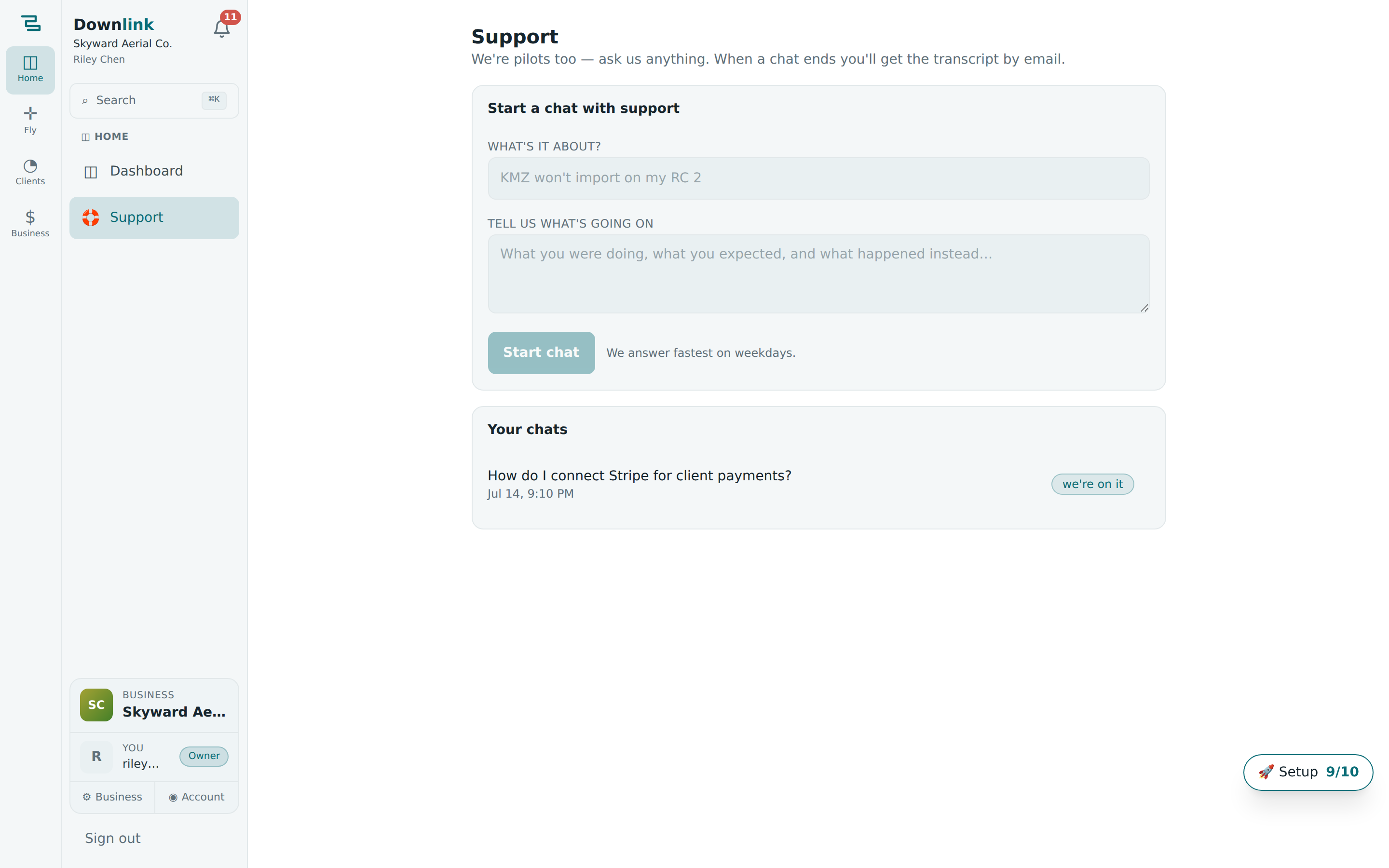
- Go to Support — from Sidebar → Support, you'll see Start a chat with support.
- Say what it's about — a short subject in the What's it about? box (e.g. KMZ won't import on my RC 2).
- Tell us what's going on — in Tell us what's going on, jot what you were doing, what you expected, and what happened instead. The more detail, the faster we nail it.
- Start chat — click Start chat and the conversation opens. New replies appear on their own — no need to refresh. A badge shows where things stand: we're on it, support replied, or chat ended.
- Reply as you go — use the Reply to support… box to keep the thread moving. All your chats live under Your chats so you can reopen any of them later.
Owner Riley Chen at Skyward Aerial Co. hits a snag exporting a Bluebird Realty mission to the controller and starts a chat:
| Field | Example value | Why/Notes |
|---|---|---|
| What's it about? | KMZ won't import on my RC 2 | The subject line — keep it short and specific. Becomes the chat title. |
| Tell us what's going on | Planned the Bluebird Realty survey at 1200 Market St, exported the DJI KMZ, but my RC 2 says "invalid file". Mavic 3E, DJI Fly latest. Worked fine last week. | What you did, expected, and got. Detail here saves a round-trip. |
| Started from | Ask Downlink → Chat with a human | Optional. If you escalate from the assistant, the whole AI thread comes with the ticket automatically. |
| Star rating | ★★★★★ (5) | Set after the chat ends — tells us how it went. |
| Rating comment | Sorted in ten minutes — it was the 200-waypoint split. Cheers! | Optional feedback (up to 500 characters). We read every one. |
End the chat and rate it #
When you're sorted, click End chat & email me the transcript. Downlink closes the chat and sends a tidy, formatted copy of the whole conversation to your email — so you've got a record even if you're offline later. Then you'll be asked How was this conversation?: pick a star rating, add an optional comment, and hit Submit rating (or Update rating to change it).
Even if transcript email isn't set up on your workspace yet, the full conversation stays right here on the Support page under Your chats. Ending a chat never loses it — reopen the transcript any time, and start a fresh chat if you need more help.
Lots of chats are really about one feature — mention where you were and we'll get there faster. Handy pages to name: the planner, Send to controller, invoicing & payments, or your website.