Pilot card
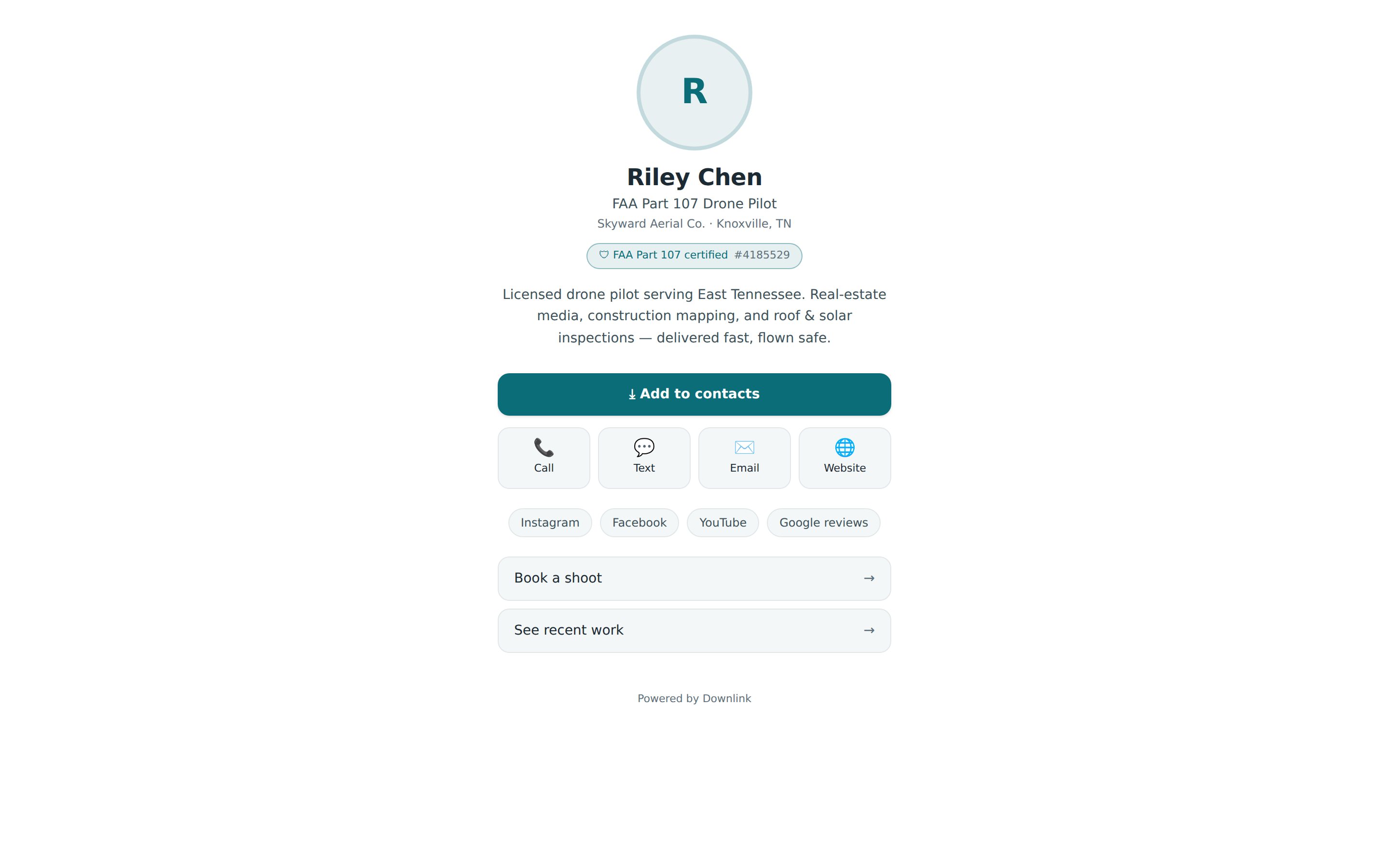
Your pilot card is a digital business card that lives at a link. Tap it to someone's phone with an NFC sticker, print it as a QR code, or just text it — they get your photo, your Part 107 badge, a portfolio of your best work, and a one-tap "Add to contacts" button. It's personal to you, and it's free on every plan.
Where to find it #
Account settings → Pilot card → Open Card studio
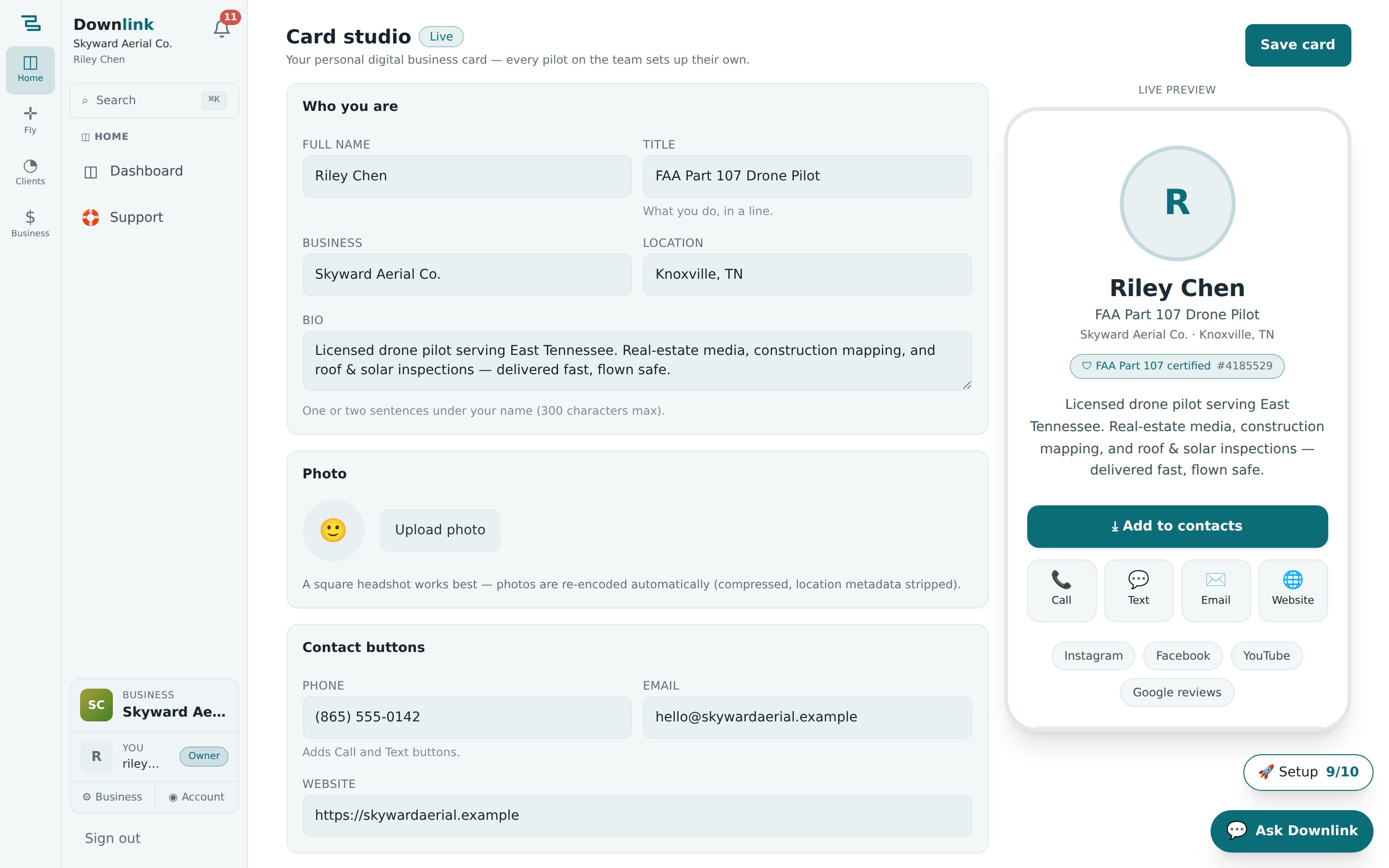
The card is per pilot, not per business — every flyer on a team sets up their own. You can also jump straight there from the command palette: open it and search Pilot card. The studio shows a live phone-sized preview on the right as you edit, so what you see is exactly what lands when someone opens your link.
Set up your card #
- Fill in who you are — under Who you are, add your Full name (the one required field), a one-line Title, your Business, Location, and a short Bio (up to 300 characters).
- Add a photo — a square headshot works best. Uploads are re-encoded automatically: compressed, with location metadata stripped, since the card is public.
- Set up contact buttons — a Phone number adds Call and Text buttons, and Email and Website round out the vCard.
- Add your Part 107 — type your certificate number to show a "FAA Part 107 certified" badge. Leave it blank to hide the badge.
- Fill the portfolio — see below; this is where the card really earns its keep.
- Pick a theme — choose one of six looks (Skyline, Modern, Contemporary, Editorial, Terra, Horizon) under Appearance, and optionally override the accent colour to match your brand.
- Choose your card address, publish & save — set a short Card address (3–40 lowercase letters, numbers, or dashes), turn Published on, and hit Save card. The badge flips from Draft to Live and your link, QR code, and NFC instructions appear.
The portfolio #
The portfolio is a grid of your best work on the card itself — up to 16 items, photos and videos combined.
- Add photos — + Add photos lets you multi-select and upload several at once (they're compressed and stripped of location data on the way up).
- Embed videos — paste a YouTube or Vimeo link (like
https://youtu.be/…) and press Add video to embed a reel. - Caption & tag — give each item an optional caption (up to 140 characters) and a short tag (up to 24). Distinct tags become filter chips on the card, so a viewer can jump straight to "Real estate" or "Mapping".
- Reorder — use the ↑ / ↓ arrows to arrange items, and ✕ to remove one. Set a Section heading (e.g. "Recent work") to title the grid.
Here's how Riley sets up a card to hand out at listing appointments and site walks:
| Field | Example value | Why / Notes |
|---|---|---|
| Full name | Riley Chen | The only required field. Drives the vCard and the suggested card address. |
| Title | FAA-certified drone pilot | One line under the name — what you do. |
| Business | Skyward Aerial Co. | Shown on the card and saved as the ORG on the vCard. |
| Location | Knoxville, TN | Sets the service area at a glance. |
| Bio | Aerial photo, video, and mapping across East Tennessee — real estate, construction progress, and inspections. | One or two sentences, 300 characters max. |
| Photo | riley-headshot.jpg | Square headshot; auto-compressed, location data stripped. |
| Phone | (865) 555-0118 | Adds Call and Text buttons. |
| riley@skywardaerial.example | Included on the add-to-contacts vCard. | |
| Website | https://skywardaerial.example | Links out from the card and the vCard. |
| Part 107 certificate | 4587213 | Shows the "FAA Part 107 certified" badge with the number. |
| Social profiles | Instagram @skywardaerial · YouTube @skywardaerial · LinkedIn skyward-aerial-co | Enter a handle or a full link — bare handles become URLs on save. |
| Links | Book a shoot → https://skywardaerial.example/book | Up to 8 custom buttons; https://, mailto:, or tel: links. |
| Portfolio | Bluebird Realty twilight listing (tag: Real estate) · Northgate Construction monthly progress (tag: Construction) · Cedar Ridge HOA flyover reel — YouTube (tag: Video) | Up to 16 photos + videos; tags become filter chips. |
| Section heading | Recent work | Titles the portfolio grid on the card. |
| Theme / Accent | Skyline · #0b7d88 | Pick a look and, optionally, a brand accent colour. |
| Card address | riley-chen | Your link: …/#/card/riley-chen. 3–40 lowercase letters, numbers, or dashes. |
| Published | On | Anyone with the link can view the card. Off keeps it a private draft. |
Share your card #
Once you save with Published on, the studio hands you three ways to share the same link:
- Link — copy it and text or email it. Whoever opens it needs no app and no login.
- QR code — save or screenshot the generated code and drop it on print material; scanning opens your card.
- NFC — write the link to any blank NFC tag (an NTAG215 sticker costs about a dollar) with a free app like NFC Tools, and tapping a phone against it opens your card. No batteries, no app for the other person.
Every card carries a one-tap button that downloads a real vCard (.vcf) — your name, business, title, phone, email, website, and Part 107 note — straight into the other person's phone contacts. It's the fastest way to make sure a new lead can still find you next week.
With Published off the card stays a private draft — you get the live preview while you build it, but the link, QR, and NFC setup only appear after you save with publishing on. Deleting the card removes its link and every uploaded photo immediately; you can start a fresh one any time.
The pilot card is your personal link; your business also has a full public website and branded client deliveries. Point them all at the same brand colour and theme so a lead sees one consistent Skyward Aerial everywhere they land.